

Save 15% Off the TK9 v4 Plugin For Photoshop, Training Videos and everything at the TK Web Store *Use PROMO Code: DK15 @ Checkout*
Web Store Link: https://goodlight.us/panels-and-videos.html#tk9Plugin
Purchase TK Grayscale and Magic Mixer: https://goodlight.us/panels-and-videos.html#magicmixer
TK Selection Brush (Free): https://goodlight.us/writing/selection-brush/selection-brush.html
TK Opacity Plus (Free): https://goodlight.us/writing/opacity-plus/opacity-plus.html
Brush Pilot (Free): https://goodlight.us/writing/brush-pilot/brush-pilot.html
TK Median Plugin (Free) https://goodlight.us/writing/median/median.html
Download a Free Linear Profile for your Camera here: https://goodlight.us/linear-profiles.html
Tony Kuyper's Blog (Good Light Journal): https://tonykuyper.wordpress.com
TK9 Instruction Manual PDF:https://goodlight.us/writing/tk9/TK9-Instructions-Manual.pdf
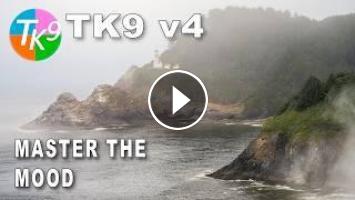
How do you create depth in a foggy landscape without losing the beautiful atmosphere that makes the image so special? That’s exactly what you’ll learn in this week’s TK Friday.
We’ll begin with a quick Lightroom edit to establish a solid foundation before moving into Photoshop, where the real editing begins using the TK9 v4 Plugin.
The fog is one of the defining elements of this photograph. Rather than trying to overpower it, we’ll work with it—using precise, localized adjustments to create depth, strengthen the lighthouse as the focal point, and naturally guide the viewer’s eye through the scene while preserving its quiet, atmospheric beauty.
In this tutorial you’ll learn how to:
* Build a solid foundation with a quick Lightroom edit
* Create depth using targeted tonal adjustments
* Use TK9 v4 masks for precise local editing
* Preserve the natural mood of a foggy landscape
* Strengthen the lighthouse as the focal point
* Use subtle dodging and burning to guide the viewer’s eye
This edit demonstrates how a series of thoughtful, localized adjustments can transform a photograph while maintaining a natural, realistic look.
Web Store Link: https://goodlight.us/panels-and-videos.html#tk9Plugin
Purchase TK Grayscale and Magic Mixer: https://goodlight.us/panels-and-videos.html#magicmixer
TK Selection Brush (Free): https://goodlight.us/writing/selection-brush/selection-brush.html
TK Opacity Plus (Free): https://goodlight.us/writing/opacity-plus/opacity-plus.html
Brush Pilot (Free): https://goodlight.us/writing/brush-pilot/brush-pilot.html
TK Median Plugin (Free) https://goodlight.us/writing/median/median.html
Download a Free Linear Profile for your Camera here: https://goodlight.us/linear-profiles.html
Tony Kuyper's Blog (Good Light Journal): https://tonykuyper.wordpress.com
TK9 Instruction Manual PDF:https://goodlight.us/writing/tk9/TK9-Instructions-Manual.pdf
How do you create depth in a foggy landscape without losing the beautiful atmosphere that makes the image so special? That’s exactly what you’ll learn in this week’s TK Friday.
We’ll begin with a quick Lightroom edit to establish a solid foundation before moving into Photoshop, where the real editing begins using the TK9 v4 Plugin.
The fog is one of the defining elements of this photograph. Rather than trying to overpower it, we’ll work with it—using precise, localized adjustments to create depth, strengthen the lighthouse as the focal point, and naturally guide the viewer’s eye through the scene while preserving its quiet, atmospheric beauty.
In this tutorial you’ll learn how to:
* Build a solid foundation with a quick Lightroom edit
* Create depth using targeted tonal adjustments
* Use TK9 v4 masks for precise local editing
* Preserve the natural mood of a foggy landscape
* Strengthen the lighthouse as the focal point
* Use subtle dodging and burning to guide the viewer’s eye
This edit demonstrates how a series of thoughtful, localized adjustments can transform a photograph while maintaining a natural, realistic look.
- Категория
- Партнёрские программы

Комментариев нет.
Следующее
Auto
-
12:10

How to Use Photoshop's New Precision Flow AI WITHOUT Losing Quality
-
23:28
TK Friday (Gradient Mask Interfaces) Deep Dive
-
35:06
ПРОМО. Ответы. Интересные фишки. Курс доллара. PROFFTRADE. Счет Black Friday.
-
00:37
Coastal Routines for Remote Work and Fresh Horizons
-
05:16
Урок ИИ. Рисуем автомобиль НИВА в нейросети Gemini: от промпта до финальной работы в Photoshop
-
18:50
Paint a White Coastal Cottage Without White Paint
-
00:26
Moody Color Grade in Photoshop in 10 Seconds!
-
11:34
This Remote Healthcare Job Is Hiring Now | Monday–Friday, Paid Training & Full Benefits
-
09:42
This Photoshop Plugin Replaces 10 AI Tools at Once
-
07:34
WTF is NL Web | Crystal Carter | Whiteboard Friday 4k
-
05:33

ЗАРАБОТОК В ИНТЕРНЕТЕ | КРУТАЯ СХЕМА | FUNPAY
-
08:12

Пассивный Заработок 1000Р в День в Интернете на Телефоне Без Вложений
-
06:43

Как ЗАРАБОТАТЬ ШКОЛЬНИКУ в ИНТЕРНЕТЕ? Самые Легкие Способы Заработка
-
07:05

ЗАРАБОТОК В ИНТЕРНЕТЕ 2023 | Реальный заработок в интернете с вложением | Как заработать в интернете
-
05:49

ЗАРАБОТОК В ИНТЕРНЕТЕ 2023 | Реальный Заработок В Интернете С Вложением. Как Заработать В Интернете?
-
04:28

Схема заработка 2023 ! Зарабатываем в интернете онлайн сидя дома ! Заработок денег ! Деньги легко !
-
05:33

ЗАРАБОТОК В ИНТЕРНЕТЕ | КРУТАЯ СХЕМА | FUNPAY
-
06:43

Как ЗАРАБОТАТЬ ШКОЛЬНИКУ в ИНТЕРНЕТЕ? Самые Легкие Способы Заработка
-
14:53

Показываю Как Зарабатывать Деньги - Заработок В Интернете 2023 Рабочая Схема Для Заработка
-
14:12

Большой Заработок В Интернете С Выводом Рабочая Схема Заработка
 Загрузка...