

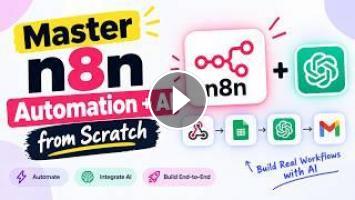
# n8n Tutorial for Beginners | Learn n8n Step by Step
Welcome to this complete **n8n Tutorial for Beginners**! In this step-by-step guide, you'll learn how to use **n8n workflow automation** from the ground up and start building your own automated workflows—even if you've never used n8n before.
n8n is a powerful workflow automation platform that allows you to connect applications, APIs, databases, AI tools, web services, and business systems together without having to write large amounts of code.
In this tutorial, we'll start with the basics and gradually move toward building practical automation workflows. You'll learn how n8n works, how nodes and workflows are structured, how to connect different services, how to work with data, and how to automate repetitive tasks.
## What You'll Learn
By the end of this n8n beginner tutorial, you'll understand:
- What n8n is and how workflow automation works
- How n8n workflows are structured
- What nodes and connections are
- How to create your first n8n workflow
- How to use triggers
- How to work with actions and data
- How to use expressions in n8n
- How to connect APIs
- How to use the HTTP Request node
- How to work with JSON data
- How to use IF and Switch logic
- How to transform and process data
- How to connect databases and external services
- How to work with webhooks
- How to automate repetitive tasks
- How to troubleshoot n8n workflows
- How to build real-world automation projects
- How AI can be integrated into n8n workflows
## What Is n8n?
n8n is a workflow automation tool designed to help you connect different applications and automate processes.
Instead of manually performing the same tasks repeatedly, you can create a workflow that performs those tasks automatically.
nd Response**
AI can be combined with traditional workflow nodes, APIs, databases, and business applications to create powerful automated systems.
We'll discuss practical examples such as:
- AI customer support workflows
- AI content processing
- Document processing
- Automated email workflows
- Data classification
- AI agents
- API-based AI automation
## Real-World n8n Automation Examples
Throughout the tutorial, we'll use practical examples to help you understand how n8n can be applied to real projects.
Some common automation ideas include:
- Automatically processing form submissions
- Sending email notifications
- Synchronizing data between applications
- Creating scheduled reports
- Processing API responses
- Updating databases
- Sending Slack or messaging notifications
- Automating lead management
- Building AI-powered workflows
- Connecting business applications
## Troubleshooting n8n Workflows
Automation doesn't always work perfectly on the first attempt.
We'll also look at common problems such as:
- Authentication errors
- Invalid API credentials
- Incorrect expressions
- Missing data
- Incorrect JSON
- HTTP errors
- Webhook configuration problems
- Node execution errors
- Connection issues
- Workflow activation problems
You'll learn how to inspect execution data and identify where a workflow is failing.
## Who Is This Tutorial For?
This tutorial is designed for:
- Complete beginners
- Developers
- Freelancers
- Entrepreneurs
- Automation beginners
- No-code and low-code users
- AI automation enthusiasts
- Web developers
- Business owners
- Anyone interested in workflow automation
You don't need to be an expert programmer to get started. Basic knowledge of APIs, JSON, and JavaScript can be helpful, but we'll explain the important concepts as we go.
## Start Building Your Own Automations
After completing this tutorial, you'll have a solid foundation in n8n and will be ready to create your own workflows.
The most important thing is to start with a simple automation, understand how data moves between nodes, and gradually build more advanced workflows.
From simple task automation to complex API integrations and AI-powered systems, n8n provides a flexible way to connect your tools and automate repetitive processes.
If you found this tutorial helpful, make sure to **like the video, subscribe to the channel, and turn on notifications** for more tutorials on n8n, AI automation, APIs, JavaScript, Node.js, web development, and workflow automation.
#n8n #n8nTutorial #n8nTutorialForBeginners #Learnn8n #n8nAutomation #WorkflowAutomation #Automation #NoCode #LowCode #AIWorkflow #AIAutomation #n8nWorkflow #n8nBeginner #APIAutomation #Webhook #HTTPRequests #ArtificialIntelligence #AITools #AutomationTools #TechTutorial #CodingTutorial #Developers #Productivity #BusinessAutomation
Welcome to this complete **n8n Tutorial for Beginners**! In this step-by-step guide, you'll learn how to use **n8n workflow automation** from the ground up and start building your own automated workflows—even if you've never used n8n before.
n8n is a powerful workflow automation platform that allows you to connect applications, APIs, databases, AI tools, web services, and business systems together without having to write large amounts of code.
In this tutorial, we'll start with the basics and gradually move toward building practical automation workflows. You'll learn how n8n works, how nodes and workflows are structured, how to connect different services, how to work with data, and how to automate repetitive tasks.
## What You'll Learn
By the end of this n8n beginner tutorial, you'll understand:
- What n8n is and how workflow automation works
- How n8n workflows are structured
- What nodes and connections are
- How to create your first n8n workflow
- How to use triggers
- How to work with actions and data
- How to use expressions in n8n
- How to connect APIs
- How to use the HTTP Request node
- How to work with JSON data
- How to use IF and Switch logic
- How to transform and process data
- How to connect databases and external services
- How to work with webhooks
- How to automate repetitive tasks
- How to troubleshoot n8n workflows
- How to build real-world automation projects
- How AI can be integrated into n8n workflows
## What Is n8n?
n8n is a workflow automation tool designed to help you connect different applications and automate processes.
Instead of manually performing the same tasks repeatedly, you can create a workflow that performs those tasks automatically.
nd Response**
AI can be combined with traditional workflow nodes, APIs, databases, and business applications to create powerful automated systems.
We'll discuss practical examples such as:
- AI customer support workflows
- AI content processing
- Document processing
- Automated email workflows
- Data classification
- AI agents
- API-based AI automation
## Real-World n8n Automation Examples
Throughout the tutorial, we'll use practical examples to help you understand how n8n can be applied to real projects.
Some common automation ideas include:
- Automatically processing form submissions
- Sending email notifications
- Synchronizing data between applications
- Creating scheduled reports
- Processing API responses
- Updating databases
- Sending Slack or messaging notifications
- Automating lead management
- Building AI-powered workflows
- Connecting business applications
## Troubleshooting n8n Workflows
Automation doesn't always work perfectly on the first attempt.
We'll also look at common problems such as:
- Authentication errors
- Invalid API credentials
- Incorrect expressions
- Missing data
- Incorrect JSON
- HTTP errors
- Webhook configuration problems
- Node execution errors
- Connection issues
- Workflow activation problems
You'll learn how to inspect execution data and identify where a workflow is failing.
## Who Is This Tutorial For?
This tutorial is designed for:
- Complete beginners
- Developers
- Freelancers
- Entrepreneurs
- Automation beginners
- No-code and low-code users
- AI automation enthusiasts
- Web developers
- Business owners
- Anyone interested in workflow automation
You don't need to be an expert programmer to get started. Basic knowledge of APIs, JSON, and JavaScript can be helpful, but we'll explain the important concepts as we go.
## Start Building Your Own Automations
After completing this tutorial, you'll have a solid foundation in n8n and will be ready to create your own workflows.
The most important thing is to start with a simple automation, understand how data moves between nodes, and gradually build more advanced workflows.
From simple task automation to complex API integrations and AI-powered systems, n8n provides a flexible way to connect your tools and automate repetitive processes.
If you found this tutorial helpful, make sure to **like the video, subscribe to the channel, and turn on notifications** for more tutorials on n8n, AI automation, APIs, JavaScript, Node.js, web development, and workflow automation.
#n8n #n8nTutorial #n8nTutorialForBeginners #Learnn8n #n8nAutomation #WorkflowAutomation #Automation #NoCode #LowCode #AIWorkflow #AIAutomation #n8nWorkflow #n8nBeginner #APIAutomation #Webhook #HTTPRequests #ArtificialIntelligence #AITools #AutomationTools #TechTutorial #CodingTutorial #Developers #Productivity #BusinessAutomation
- Категория
- YouTube и Shorts

Комментариев нет.
Следующее
Auto
-
04:23

FREE YouTube Automation Workflow with n8n
-
1:22:28
YouTube Automation Full Course 2026: Master YouTube Automation (2 Hours)
-
00:45
YouTube automation with n8n & Bigfoot vlogs
-
6:36:14
Automation Testing Full Course 2026 | Learn Automation Testing from Scratch in 7 Hours| Simplilearn
-
10:20
Building a Youtube Automation With n8n Assistant
-
00:48
What is n8n | AI Automation | Use Cases & Real Examples #n8n #chatgpt #ai
-
00:35
n8n leaks 4,000+ free automations for YouTube and lead generation #Automation #Productivity #n8n
-
6:36:21
Automation Testing Full Course 2026 | Learn Automation Testing from Scratch in 7 Hours| Simplilearn
-
00:37
n8n leaks 4,000+ free automations in GitHub repo #n8n #automation #opensource
-
00:46
I built this YouTube Automation that finds the best Shorts (n8n)
-
05:33

ЗАРАБОТОК В ИНТЕРНЕТЕ | КРУТАЯ СХЕМА | FUNPAY
-
08:12

Пассивный Заработок 1000Р в День в Интернете на Телефоне Без Вложений
-
06:43

Как ЗАРАБОТАТЬ ШКОЛЬНИКУ в ИНТЕРНЕТЕ? Самые Легкие Способы Заработка
-
07:05

ЗАРАБОТОК В ИНТЕРНЕТЕ 2023 | Реальный заработок в интернете с вложением | Как заработать в интернете
-
05:49

ЗАРАБОТОК В ИНТЕРНЕТЕ 2023 | Реальный Заработок В Интернете С Вложением. Как Заработать В Интернете?
-
04:28

Схема заработка 2023 ! Зарабатываем в интернете онлайн сидя дома ! Заработок денег ! Деньги легко !
-
05:33

ЗАРАБОТОК В ИНТЕРНЕТЕ | КРУТАЯ СХЕМА | FUNPAY
-
06:43

Как ЗАРАБОТАТЬ ШКОЛЬНИКУ в ИНТЕРНЕТЕ? Самые Легкие Способы Заработка
-
14:53

Показываю Как Зарабатывать Деньги - Заработок В Интернете 2023 Рабочая Схема Для Заработка
-
14:12

Большой Заработок В Интернете С Выводом Рабочая Схема Заработка
 Загрузка...