

Use our NEW free AI charting platform: https://luxalgo.com/quant
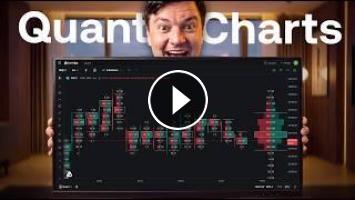
In this video we walk through every new feature in Quant Charts. The LuxAlgo charting platform, now running entirely on our own engine.
This is a full charting platform. Real-time order flow, CME futures data, footprint and TPO charts, and the entire LuxAlgo library of indicators built directly in. You can use it purely for charting, or as a companion for building your own tools.
Free members get chart access and free order flow for Bitcoin, all crypto, stocks, and ETFs. Futures data requires any paid plan but once you upgrade, there's no additional charge for the data.
We cover the full layout, workspaces and chart sharing, watchlists, regular versus extended trading hours, and the built-in trading journal that links directly to your broker, crypto, stock, and futures accounts. On the tools side: the complete drawing suite, quick measure, magnet snap, synced drawings, and a customizable quick wheel that opens with the Alt key so you never need the sidebar. Layouts go up to 16 windows with full syncing.
The footprint charts are deeply customizable — bid/ask ladder, volume profile, delta profile, absolute delta, average trade size, imbalances, unfinished auctions, and the stat table.
And the part that makes this different from any other platform: Quant is built into the chart. Pick which AI model you want to run. Use dictation to build an indicator by speaking to it. Screenshot any part of your chart and send it straight to the chat to ask for a daily bias — and have Quant code that bias into an indicator on the spot. Or use the capture tool to snip any area and query it without opening the chat at all.
Order book and alerts panels are coming soon.
⏱️ Chapters below.
#QuantCharts #OrderFlow #TradingPlatform
Use our FREE AI charting platform: https://luxalgo.com/quant
Browse the LuxAlgo Library: https://luxalgo.com/library
Follow us on X: https://x.com/LuxAlgo
0:00 Quant Charts
0:32 What's changed
1:06 How to access the new charts
1:36 The layout, explained
2:15 Quant chat, data window & Pine editor
3:13 Screenshot straight to Quant
3:42 Workspaces, sharing & trading hours
4:19 Watchlists, order book & alerts
4:36 The built-in trading journal
5:02 Free order flow for crypto, stocks & ETFs
5:41 The full drawing toolset
6:21 Quick measure, magnet snap & synced drawings
6:36 The Alt key quick wheel
7:05 Footprint & TPO charts
7:29 Customizing the footprint
8:10 Up to 16 chart windows
8:47 The entire LuxAlgo library, built in
9:16 Chart settings & pre/post market
9:35 Choosing your AI model
9:58 Building an indicator by voice
10:38 Asking Quant for a daily bias
11:35 The capture tool
12:31 What's coming next
All of the content on our YouTube channel is for educational purposes only. Trading is risky and many will lose money in connection with trading activities. All content on this channel is not intended to, and should not be, construed as financial advice. Decisions to buy, sell, hold or trade in securities, commodities and other markets involve risk and are best made based on the advice of qualified financial professionals. Past performance does not guarantee future results.
Hypothetical or Simulated performance results have certain limitations. Unlike an actual performance record, simulated results do not represent actual trading. Also, since the trades have not been executed, the results may have under-or-over compensated for the impact, if any, of certain market factors, including, but not limited to, lack of liquidity. Simulated trading programs in general are designed with the benefit of hindsight, and are based on historical information. No representation is being made that any account will or is likely to achieve profit or losses similar to those shown.
If you don’t agree with these terms or the full disclaimer (https://www.luxalgo.com/legal-pages/disclaimer) you should not continue watching our videos.
In this video we walk through every new feature in Quant Charts. The LuxAlgo charting platform, now running entirely on our own engine.
This is a full charting platform. Real-time order flow, CME futures data, footprint and TPO charts, and the entire LuxAlgo library of indicators built directly in. You can use it purely for charting, or as a companion for building your own tools.
Free members get chart access and free order flow for Bitcoin, all crypto, stocks, and ETFs. Futures data requires any paid plan but once you upgrade, there's no additional charge for the data.
We cover the full layout, workspaces and chart sharing, watchlists, regular versus extended trading hours, and the built-in trading journal that links directly to your broker, crypto, stock, and futures accounts. On the tools side: the complete drawing suite, quick measure, magnet snap, synced drawings, and a customizable quick wheel that opens with the Alt key so you never need the sidebar. Layouts go up to 16 windows with full syncing.
The footprint charts are deeply customizable — bid/ask ladder, volume profile, delta profile, absolute delta, average trade size, imbalances, unfinished auctions, and the stat table.
And the part that makes this different from any other platform: Quant is built into the chart. Pick which AI model you want to run. Use dictation to build an indicator by speaking to it. Screenshot any part of your chart and send it straight to the chat to ask for a daily bias — and have Quant code that bias into an indicator on the spot. Or use the capture tool to snip any area and query it without opening the chat at all.
Order book and alerts panels are coming soon.
⏱️ Chapters below.
#QuantCharts #OrderFlow #TradingPlatform
Use our FREE AI charting platform: https://luxalgo.com/quant
Browse the LuxAlgo Library: https://luxalgo.com/library
Follow us on X: https://x.com/LuxAlgo
0:00 Quant Charts
0:32 What's changed
1:06 How to access the new charts
1:36 The layout, explained
2:15 Quant chat, data window & Pine editor
3:13 Screenshot straight to Quant
3:42 Workspaces, sharing & trading hours
4:19 Watchlists, order book & alerts
4:36 The built-in trading journal
5:02 Free order flow for crypto, stocks & ETFs
5:41 The full drawing toolset
6:21 Quick measure, magnet snap & synced drawings
6:36 The Alt key quick wheel
7:05 Footprint & TPO charts
7:29 Customizing the footprint
8:10 Up to 16 chart windows
8:47 The entire LuxAlgo library, built in
9:16 Chart settings & pre/post market
9:35 Choosing your AI model
9:58 Building an indicator by voice
10:38 Asking Quant for a daily bias
11:35 The capture tool
12:31 What's coming next
All of the content on our YouTube channel is for educational purposes only. Trading is risky and many will lose money in connection with trading activities. All content on this channel is not intended to, and should not be, construed as financial advice. Decisions to buy, sell, hold or trade in securities, commodities and other markets involve risk and are best made based on the advice of qualified financial professionals. Past performance does not guarantee future results.
Hypothetical or Simulated performance results have certain limitations. Unlike an actual performance record, simulated results do not represent actual trading. Also, since the trades have not been executed, the results may have under-or-over compensated for the impact, if any, of certain market factors, including, but not limited to, lack of liquidity. Simulated trading programs in general are designed with the benefit of hindsight, and are based on historical information. No representation is being made that any account will or is likely to achieve profit or losses similar to those shown.
If you don’t agree with these terms or the full disclaimer (https://www.luxalgo.com/legal-pages/disclaimer) you should not continue watching our videos.
- Категория
- AI Инструменты

Комментариев нет.
Следующее
Auto
-
00:15

Giải mã các triệu chứng cơ thể kỳ lạ #affiliatemarketing #tintuc #mohinhkinhdoanhaffiliate
-
01:22
Làm Affiliate theo hướng MMO là như thế nào? | Big Man Marketing
-
20:20
Libra! YES! YOU'RE FINALLY READY TO REVEAL THÈ TRUTH! 2222
-
01:55
Kre8or.AI: The AI Platform With a Built-In Paycheck
-
00:38
I Built a Platform With 200+ Free Courses
-
00:11
Inside the World's Most Advanced AI Tuna Fish Processing Factory | Time-Lapse ASMR
-
01:07
This Engineer Built a Mattress So Advanced That Nithin Kamath Put His Money Into It - Why? #shorts
-
01:42
Không cần quay video vẫn có thể làm được Affiliate | Big Man Marketing
-
00:59
This NEW Charting Platform Is Game Changing
-
06:46
I Tested the Most Advanced AI Music Video Generator Yet
-
05:33

ЗАРАБОТОК В ИНТЕРНЕТЕ | КРУТАЯ СХЕМА | FUNPAY
-
08:12

Пассивный Заработок 1000Р в День в Интернете на Телефоне Без Вложений
-
06:43

Как ЗАРАБОТАТЬ ШКОЛЬНИКУ в ИНТЕРНЕТЕ? Самые Легкие Способы Заработка
-
07:05

ЗАРАБОТОК В ИНТЕРНЕТЕ 2023 | Реальный заработок в интернете с вложением | Как заработать в интернете
-
05:49

ЗАРАБОТОК В ИНТЕРНЕТЕ 2023 | Реальный Заработок В Интернете С Вложением. Как Заработать В Интернете?
-
04:28

Схема заработка 2023 ! Зарабатываем в интернете онлайн сидя дома ! Заработок денег ! Деньги легко !
-
05:33

ЗАРАБОТОК В ИНТЕРНЕТЕ | КРУТАЯ СХЕМА | FUNPAY
-
06:43

Как ЗАРАБОТАТЬ ШКОЛЬНИКУ в ИНТЕРНЕТЕ? Самые Легкие Способы Заработка
-
14:53

Показываю Как Зарабатывать Деньги - Заработок В Интернете 2023 Рабочая Схема Для Заработка
-
14:12

Большой Заработок В Интернете С Выводом Рабочая Схема Заработка
 Загрузка...